| .cargo | ||
| readme | ||
| scripts | ||
| src | ||
| src-tauri | ||
| .gitignore | ||
| agent.md | ||
| index.html | ||
| LICENSE | ||
| package-lock.json | ||
| package.json | ||
| postcss.config.js | ||
| README.en.md | ||
| README.md | ||
| tailwind.config.js | ||
| tsconfig.json | ||
| vite.config.ts | ||
| yarn.lock | ||




About
CrossSubtitle-AI is a local-first audio/video subtitle processing tool. It uses Whisper for speech recognition, Silero VAD for voice activity detection, and supports OpenAI-compatible APIs for intelligent translation — helping you quickly transcribe and translate media files into bilingual subtitles.
All speech recognition runs locally on your machine. No audio or video files are ever uploaded to any server, ensuring your data privacy.
Features
- Speech Recognition — High-accuracy speech-to-text powered by Whisper, supporting 17 source languages including Chinese, English, Japanese, Korean, French, and more
- Voice Activity Detection — Silero VAD precisely splits speech segments and automatically filters out silence
- Smart Translation — Connect to any OpenAI-compatible API (GLM, DeepSeek, ChatGPT, etc.) to translate transcripts into your target language
- Audio Extraction — Built-in FFmpeg automatically extracts audio and converts to 16kHz mono WAV
- Multiple Export Formats — Export subtitles in SRT, VTT, and ASS formats
- Bilingual Export — Export side-by-side original + translated bilingual subtitles
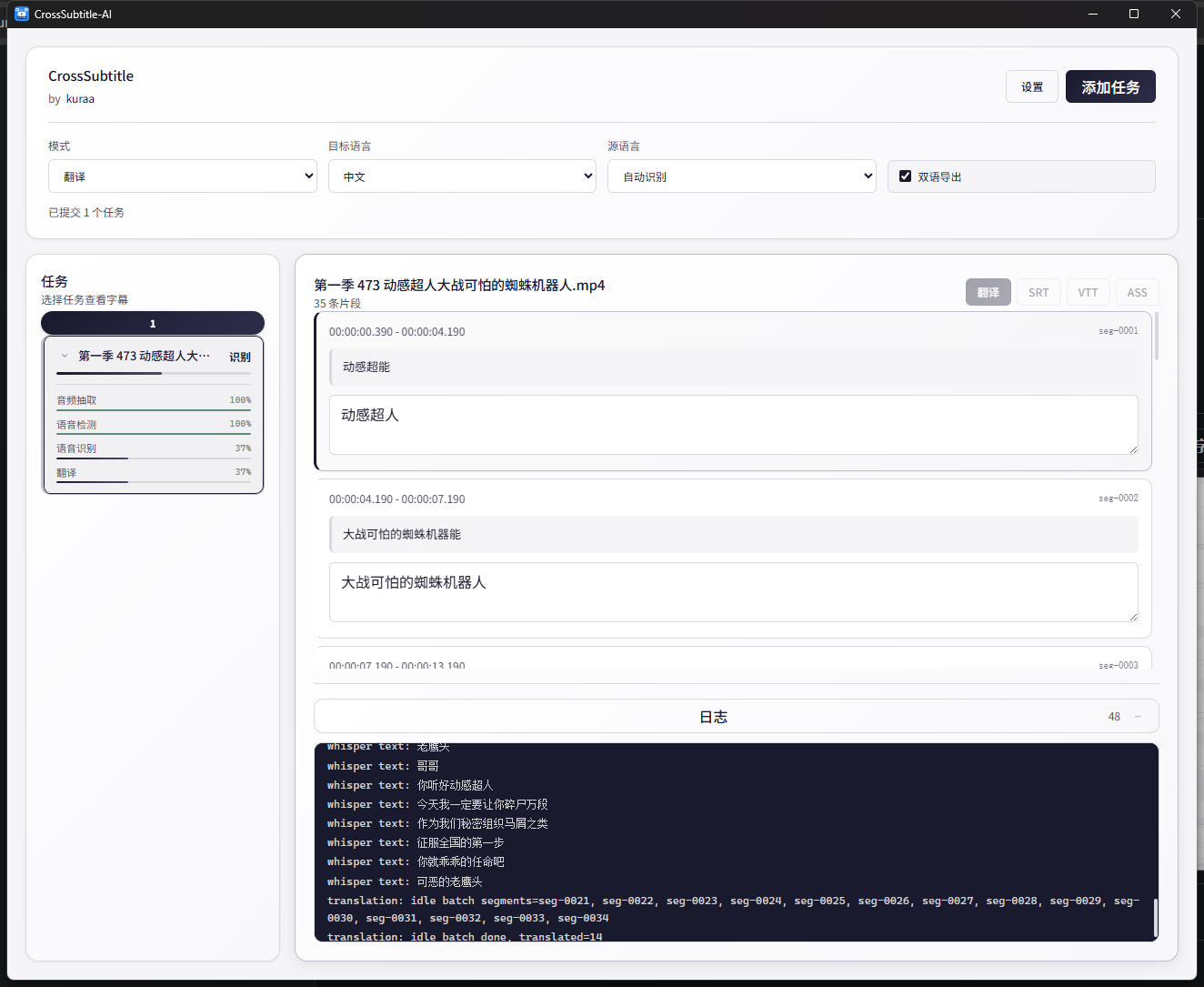
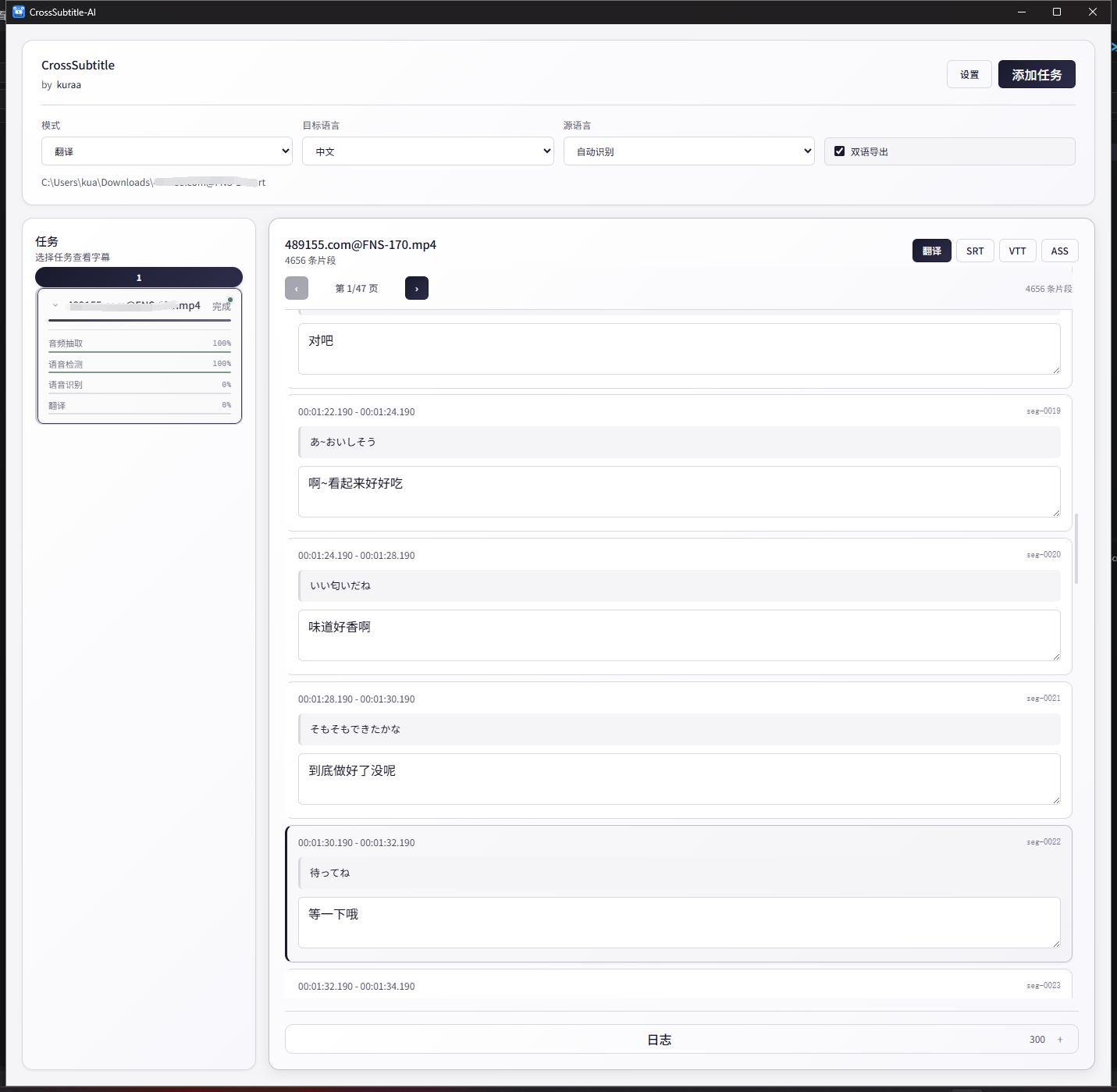
- Subtitle Editor — Built-in editor for modifying both source text and translations line by line
- Drag & Drop — Drag and drop files to quickly create tasks
- Task Queue — Batch process multiple media files with real-time progress tracking
- Bilingual UI — Switch between Chinese and English interface languages
- Local-First — Speech recognition runs entirely locally, no data upload required
Workflow
- Choose Mode — Select "Source" for transcription only, or "Translate" mode for automatic translation after transcription
- Add Task — Click "Add Task" or drag-and-drop media files onto the window
- Wait for Processing — Tasks go through: Audio Extraction → VAD Segmentation → Speech Recognition → (Optional) Translation
- Review & Edit — View and modify recognition results and translations in the subtitle editor
- Export Subtitles — Export as SRT, VTT, or ASS format
Screenshots
| Subtitle | Subtitle Editor |
|---|---|
 |
 |
Installation
Download the installer for your platform from GitHub Releases:
| Platform | Package |
|---|---|
| macOS (Apple Silicon) | .dmg |
| Windows | .exe (NSIS Installer) |
Usage
Quick Start
- Open the app and select a mode from the top toolbar:
- Source — Speech recognition only, outputs source language subtitles
- Translate — Transcribes then translates via an LLM API
- Click "Add Task" or drag-and-drop files onto the window
- Wait for processing to complete
- Review and edit results in the subtitle editor on the right
- Click "Export" to save subtitles in your preferred format
Translation Configuration
Before using the translation feature, configure the LLM API:
- Fill in the LLM API Base, API Key, and Model in "Advanced Settings"
- Works with any OpenAI-compatible service, including:
- GLM (Zhipu AI) — GLM-4.7-Flash available for free
- DeepSeek
- ChatGPT
- Self-hosted — Ollama, vLLM, etc.
Advanced Settings
- Whisper Model Path — Path to a local ggml model file
- VAD Model Path — Path to a local Silero VAD ONNX model file
- Batch Size — Number of segments to translate per batch (10-15)
- Context Size — Number of preceding segments to include as context for translation (0-5)
Development
Prerequisites
- Rust toolchain
- Node.js (18+)
- FFmpeg (must be available on the command line)
- CMake (required for compiling whisper-rs)
Local Development
# Clone the repository
git clone https://github.com/AndySkaura/crosssubtitle-ai.git
cd crosssubtitle-ai

# Install frontend dependencies
npm install

# Start development mode
npm run tauri-dev
Build
# macOS DMG build
npm run tauri-build-dmg

# Windows NSIS build
npm run tauri-build-windows
Tech Stack
| Layer | Technology |
|---|---|
| Desktop Framework | Tauri v2 |
| Frontend | Vue 3 + TypeScript |
| State Management | Pinia |
| Styling | Tailwind CSS |
| Internationalization | vue-i18n |
| Speech Recognition | whisper-rs (Whisper) |
| Voice Detection | ort (Silero VAD ONNX) |
| Audio Processing | FFmpeg |
| LLM Translation | OpenAI-compatible API |
Project Structure
src/                      Vue frontend
  components/             UI components (TaskQueue, SubtitleEditor)
  stores/                 Pinia state management
  locales/                i18n locale files (zh-CN, en)
  lib/                    Type definitions
src-tauri/                Rust backend
  src/
    audio.rs              Audio extraction & WAV reading
    vad.rs                Silero VAD voice activity detection
    whisper.rs            Whisper speech recognition interface
    translate.rs          OpenAI-compatible translation interface
    subtitle.rs           SRT / VTT / ASS export
    task.rs               Task orchestration & event broadcasting
    state.rs              Application state
License
This project is licensed under the MIT License.
Acknowledgements
- whisper.cpp — High-performance Whisper inference implementation
- Silero VAD — High-accuracy voice activity detection
- Tauri — Lightweight desktop application framework
- All contributors and users
Made by kuraa